
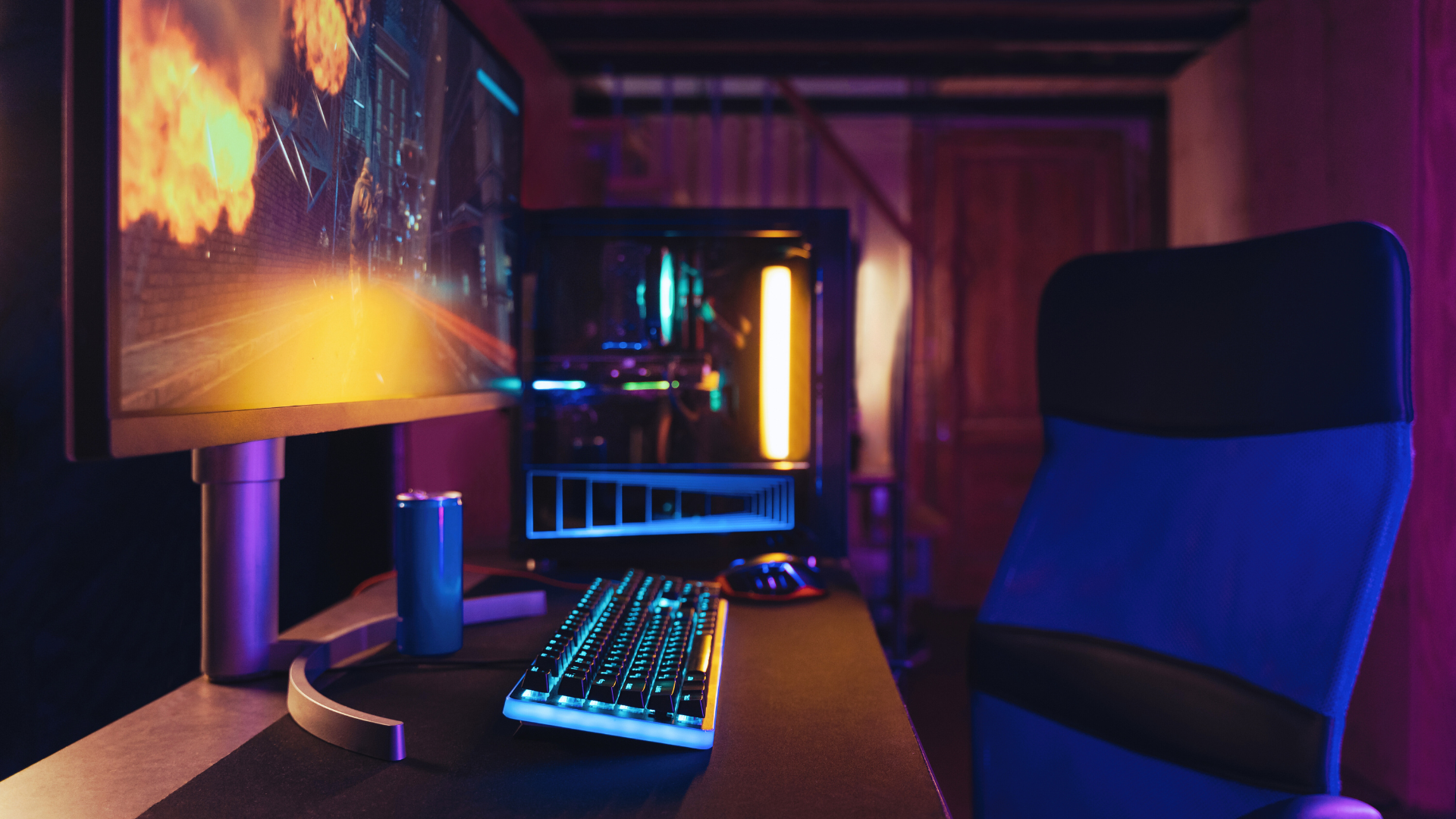

Creating a budget-friendly gaming setup is not just about saving money; it’s about making informed decisions that enhance quality and performance. With the right strategy, it’s entirely possible to enjoy an excellent gaming experience without breaking the bank. Gamers can find the best components and equipment that fit their financial constraints while still achieving impressive results.
When choosing gear, it’s essential to balance cost with performance. Investing in specific components that offer the best value can significantly elevate gameplay. By understanding the requirements of different games and prioritising essential features, one can assemble a setup that meets the demands of modern gaming.
This guide will provide practical tips on selecting the right hardware and peripherals, ensuring that gamers get the most out of their money. Whether it’s upgrading an existing setup or starting from scratch, the right choices can lead to a fulfilling and enjoyable gaming experience.
Essential Components for Budget-Friendly Gaming PC
Selecting the right components is crucial for building an effective gaming PC on a budget. Key areas include the CPU, GPU, RAM, storage, power supply, and cooling systems, each playing a vital role in performance and cost-effectiveness. Alongside selecting cost-efficient hardware, external accessories like the cronus zen can also be considered for gamers seeking greater controller compatibility or customizable input options without upgrading core components. Overall, making smart, well-balanced choices across both hardware and supporting tools helps maximize performance while keeping a gaming PC build within budget.
Choosing the Right CPU
The central processing unit (CPU) is vital for determining overall system performance. For budget builds, processors like the AMD Ryzen 5 5600G or Intel Core i3-12100F offer strong performance at a reasonable price.
Factors to consider include:
- Cores and Threads: Look for at least four cores for multitasking and gaming.
- Clock Speed: Higher speeds can enhance game performance.
- Compatibility: Ensure the CPU is compatible with the motherboard.
Investing wisely in a CPU lays a strong foundation for the entire setup.
Balancing GPU Performance and Cost
The graphics processing unit (GPU) significantly affects gaming experience. Options like the NVIDIA GTX 1650 provide good performance for 1080p gaming. For a slightly higher budget, the RTX 3050 or RX 6600 are excellent choices for better graphical fidelity.
Consider these points:
- Resolution Goals: Choose a GPU that matches the desired gaming resolution.
- Price-to-Performance Ratio: Research benchmarks to ensure value for money.
A well-chosen GPU balances performance and budget, enhancing gaming enjoyment.
RAM and Storage Solutions
Memory and storage are essential for smooth gameplay and system responsiveness. A minimum of 16GB RAM is recommended for modern gaming, with brands like Corsair and Crucial providing reliable options.
For storage, a combination of an NVMe SSD and an HDD is ideal. The SSD allows for:
- Fast Load Times: Improves game and system boot speeds.
- Cost Efficiency: Consider a smaller SSD of around 500GB paired with an HDD for additional storage.
This dual-setup enhances performance while managing costs effectively.
Power Supply and Cooling Systems
A reliable power supply unit (PSU) is crucial for system stability. Aim for a unit with an 80 Plus Bronze rating for efficiency. Look for PSUs with at least 500W capacity to support components.
Effective cooling systems are equally important. Options include:
- Air Coolers: Budget-friendly and effective, such as the Cooler Master Hyper 212.
- Case Fans: Adding affordable case fans improves airflow.
These components ensure that the gaming PC operates reliably under load, avoiding performance drops.
Peripherals that Enhance Gaming Performance
Investing in the right gaming peripherals can significantly improve performance and immerse a player in the gaming experience. Key components include monitors, keyboards, mice, and audio equipment, each contributing uniquely to gameplay.
Selecting a Monitor for Immersive Gaming
A monitor is crucial for any gaming setup. Features such as resolution and refresh rate greatly influence gaming performance. High-refresh-rate monitors (144Hz or above) provide smoother visuals, reducing motion blur and tearing, which is essential for competitive gaming.
Additionally, factors like response time and panel type (IPS, TN, or VA) can affect colour accuracy and viewing angles. An IPS panel offers better colour reproduction, while a TN panel typically has faster response times. Players should also consider screen size and ergonomics, ensuring comfort during long gaming sessions.
Keyboards and Mice for Precision and Control
For precise control, the choice of keyboard and mouse plays a vital role. Mechanical keyboards are preferred by many gamers due to their tactile feedback and durability. Keyboards with programmable keys allow for custom macros, enhancing in-game actions.
Mice designed for gaming often feature adjustable DPI settings, catering to different styles of play. A lightweight mouse improves manoeuvrability, while ergonomic designs provide comfort. Both devices should ideally complement each other to ensure optimal precision during competitive gaming.
The Impact of Audio: Headsets and Sound Systems
Audio quality can greatly affect the gaming experience. A good headset provides immersive sound, enabling players to detect in-game movements and environmental cues. Features like surround sound enhance this experience further, making it easier to pinpoint enemy locations.
In addition to headsets, sound systems can elevate gameplay. Speakers with a high-quality audio output provide a richer sound landscape. When choosing between headsets and sound systems, players should consider their gaming context and personal preferences for communication and immersion.
Furnishing Your Gaming Zone
Creating an effective gaming zone requires careful consideration of seating and desk space. Both elements significantly impact comfort and performance, enhancing the overall gaming experience.
Seating: Finding the Best Gaming Chair
Choosing the right gaming chair is vital for long sessions. Look for ergonomic designs that support the back, neck, and arms. Features like adjustable height, lumbar support, and armrests can prevent strain and fatigue.
Popular Types of Chairs:
- Racing-style chairs: These are widely recognised for their sporty design and comfort.
- Office chairs: Often more understated, they can provide excellent support and functionality.
- Bean bags or floor cushions: Ideal for casual gaming, but may lack the necessary support.
It’s advisable to try chairs in-store or check return policies for online purchases. Additionally, personalisation options like colour and material can match the gaming aesthetic and enhance the space.
Desks and Space: Organising Your Gaming Area
A suitable gaming desk optimises space and accommodates all gaming equipment. The desk should be spacious enough for monitors, keyboards, and other gear while allowing room for any additional peripherals.
Key Considerations:
- Size: Ensure it fits well in the designated area without feeling cramped.
- Cable Management: Look for desks with built-in cable management systems. This will keep wires organised and reduce clutter.
- Ambient Lighting: Incorporating LED strips can enhance the atmosphere and complement personal aesthetics.
Selecting a desk that aligns with personal style and meets gaming requirements will transform the gaming zone into an efficient and enjoyable space.
Maximising Value with Smart Shopping
Finding the best value for a budget gaming setup requires strategic shopping habits. By knowing where to look and when to buy, one can significantly reduce costs while not compromising on quality.
Searching for Deals and Discounts
To secure budget-friendly options, one should actively search for deals and discounts across various retailers. Websites like CEX offer competitive prices on second-hand gaming equipment, while large online retailers often have seasonal sales.
Setting up alerts for price drops on essential components, like graphics cards or gaming monitors, can also prove beneficial. Using price comparison websites enables easy tracking of the lowest prices across multiple platforms, ensuring that no advantageous deal is missed.
Additionally, subscribing to newsletters from gaming hardware retailers can provide exclusive discounts and early access to sales.
Understanding the Market: When to Buy
Timing purchases is essential for maximising value. Major sales events, such as Black Friday, Cyber Monday, and back-to-school promotions, are ideal for making cost-effective gaming setup purchases.
Researching product release cycles is another savvy approach. When new models are launched, it typically leads to price reductions on previous versions. This scenario allows one to acquire high-quality components at a lower cost.
Moreover, keeping an eye on specific month-end or year-end sales can yield excellent discounts, as retailers aim to clear inventory.
Online Resources and Community Tips
Utilising online resources can provide invaluable insights for smart shopping. Websites like TechBargains or Slickdeals aggregate the best current deals, while forums like Reddit often feature budget-friendly tips shared by other enthusiasts.
Engaging with gaming communities can also offer practical advice on DIY solutions, enabling individuals to upgrade their setups affordably. Additionally, exploring free software options for game optimisation can enhance performance without added costs.
Incorporating these strategies will assist in creating an affordable gaming setup that maximises both quality and value.